
What Size TV Lightstrip Do You Need, and Can You Cut It?

Buy a TV lightstrip for the screen size and mounting pattern its manufacturer specifies. Don't buy a longer one on the assumption that you can trim it. Cutting permission, extension support and the way colour zones are arranged belong to the exact model, not the brand.
This matters more now that similarly named products span several generations. A new strip may support cutting even when advice written for an older one says otherwise.
The TV diagonal isn't the strip length
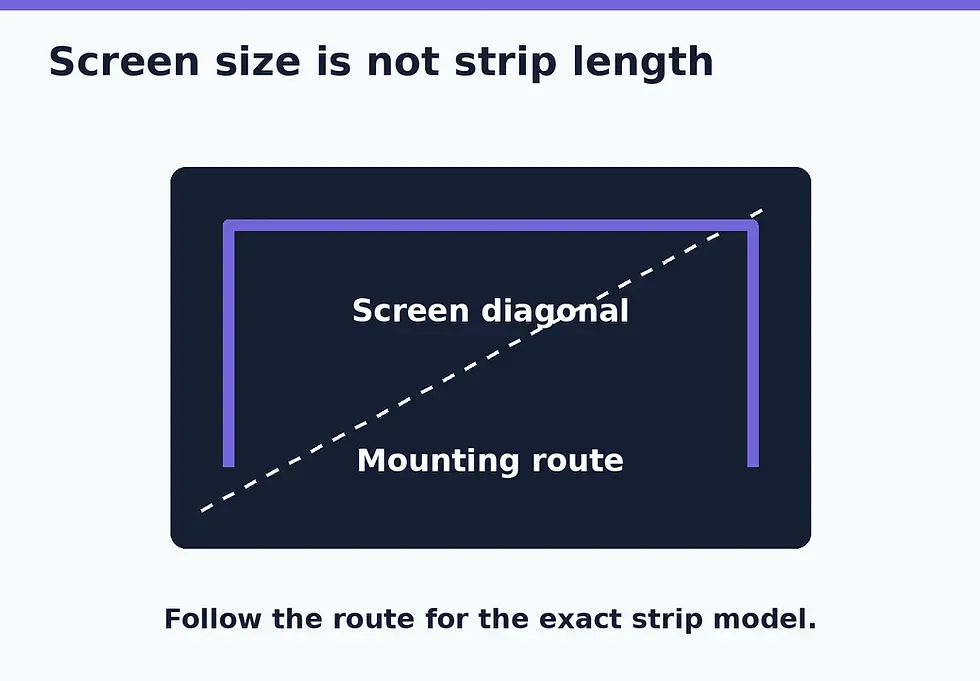
A “65-inch TV” describes the screen's corner-to-corner measurement. It doesn't tell you how much lighting belongs behind it. The strip sits inside the outer edge, may cover three or four sides, and has to avoid vents, connectors and the stand or wall bracket.
For a rough planning example, a 65-inch 16:9 screen is approximately 56.7 inches wide and 31.9 inches high. Its full outer perimeter is about 177 inches, or 4.5 metres. That calculation uses the screen proportions and excludes the bezel. It is deliberately not a recommendation to buy a 4.5-metre strip: the intended mounting route is shorter and product-specific.
Before ordering, measure the available flat mounting area on the back of the TV. Note where the power connection will end up. Photograph the arrangement if the television is wall-mounted and difficult to inspect again.
Verified examples: similar names, different fitting rules
Exact product | Published fit or length | What that means when buying |
55–65-inch TV; 3.6 m in four sections | Buy the correct size variant and follow its section layout | |
55–65-inch version: 3.6 m; 75–85-inch version: 5 m | The same model family has different lengths and power requirements | |
Up to 85-inch TV; 3.5 m; cutting allowed; extension not supported | This specific new model can be shortened according to its instructions, but not extended |
The table describes the linked versions checked on 24 October 2026. It doesn't authorise cutting the Govee kits: cutting support wasn't verified for those exact versions. Their listed lengths help identify the correct kit, not a safe place to cut it.
The new Hue 85-inch strip's specification is particularly important. Its name resembles older Play gradient products, but its explicit cutting and extension fields should take precedence over a generic rule copied from an older model. Match the UPC on the retailer's listing or packaging before applying the advice.
Cuttable, extendible and reusable are separate claims
“Cuttable” means the manufacturer permits shortening at defined points. It doesn't automatically mean the offcut works independently, can be reattached, or can be connected to another strip.
Hue's cutting guidance says to disconnect power and use the designated cut marks. It also qualifies reconnection by model. Use that as the general principle, then follow the exact product manual for the permitted length and finishing steps. A generic LED-strip tutorial isn't permission to modify a TV-sync kit.
If the manual doesn't clearly authorise the change you intend, stop before cutting. Returning the wrong size is generally a better outcome than trying to rescue an altered strip.

Check the camera fit separately
A strip may fit while its camera doesn't. The 3 Lite product FAQ specifies a TV thickness range of 4–35 mm and excludes curved TVs. T2 also excludes curved TVs and requires its dual camera at the top.
Look at the whole installation: a soundbar, shelf or unusually shaped back panel may affect where hardware can sit. Don't assume that instructions for another camera generation apply. For deciding between a camera, HDMI box and TV app, use our TV-sync route guide.
Dry-fit before using the adhesive
Lay out the intended route with the power disconnected, following the included mounting instructions. Keep the required sections on their intended sides and allow access to the TV's ports. Don't stretch a short kit or improvise tight folds through LEDs to make an oversized one fit.
Then test operation as instructed before final attachment. After mounting and calibration, check that left and right colours appear on the corresponding sides. A successful installation is secure, leaves ventilation clear, reaches power without strain and has a layout the app can represent correctly.
If the physical fit is right but the colours still land in the wrong place, continue with TV-sync colour troubleshooting. More strip isn't necessarily more useful light. The right length is the one that fits both your television and the system's intended layout.
Research checked 24 October 2026 using the linked manufacturer specifications and installation guidance. The screen-dimension example is a calculation, not a measured TV or a strip-length specification.


Comments